
Honestly, it shouldn’t have been as hard as it turned out to be. Normally you can map to a webdav location and select “Reconnect at logon” and you’ll be fine.
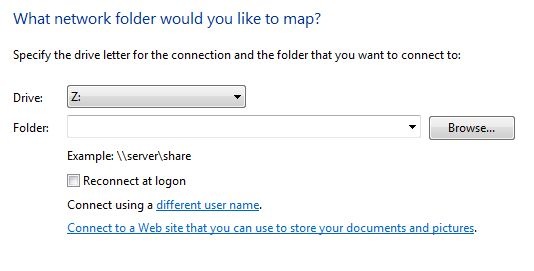
For whatever reason, when you reboot Vista it cannot reconnect to your iDisk. There are a few posts and complaints out on the interwebs about this topic, but I found a post at macrumors that was particularly helpful. I’ve modified the steps to work for me and allow me to reconnect automatically so that my sync schedule won’t be interrupted.
Use at your own risk, as you’ll be putting your password in the path.
Steps
- Right Click on your desktop, select New, Shortcut
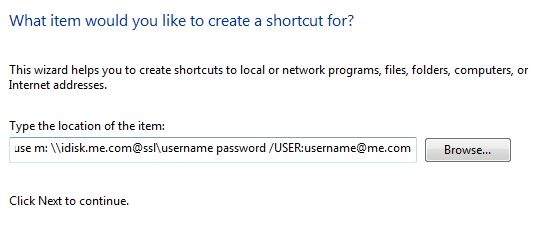
- In the “Type the location of the item:” box enter this,
- net use m: \idisk.me.com@sslusername password /USER:[email protected]
- Edit the username & password & [email protected] to reflect your account info.
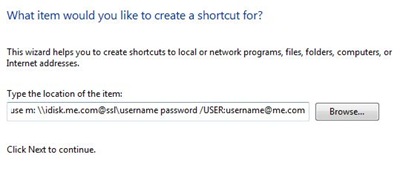
- Click Next
- Name your shortcut, in my case, I chose iDisk
- Click Finish
- Click Start, go to All Programs (at the bottom left)
- Navigate to the Startup folder and right click, select Explore
- Drag your iDisk shortcut from your desktop to your startup folder
Notes: The persistent parameter doesn’t work, so no need to add that. You can change the drive letter to whatever you want. I already had “i:” mapped, so I chose “m:” . It’s the parameter right after net use.
There are probably several ways to accomplish what I did above, but it was easiest for me. If you’ve found another way, let me know in the comments.

euan1
Thank you so much for this. It worked like a charm.
euan1
Thank you so much for this. It worked like a charm.
Tom
simple! thanks for sucha concise post. Is it secure?
Junyor
AuthorThat’s a loaded question. It’s using SSL – more info here.
Pingback: ????XP/Vista/Win7 ? MobileMe iDisk ???? | ??? - Sync Different.
Kibbis
I have tried mapping to iDisk using Windows 7 “New Network Location” as http://idisk.me.com/username and it would NEVER accept my username and password. (no matter if I tried username, [email protected], etc.) But your post worked like a charm! Thank you, finally someone in the universe of Google return results who know what they are doing!